
Why USB-C Cables Don't Always Work: The Hidden Truth
Visual learning made easy - infographics and simple explanations
Ever wondered why your USB-C cable works perfectly with one device but fails completely with another?
USB-C is just a connector shape, not a guarantee of compatibility. Different USB-C cables and ports support vastly different features, speeds, and power levels.
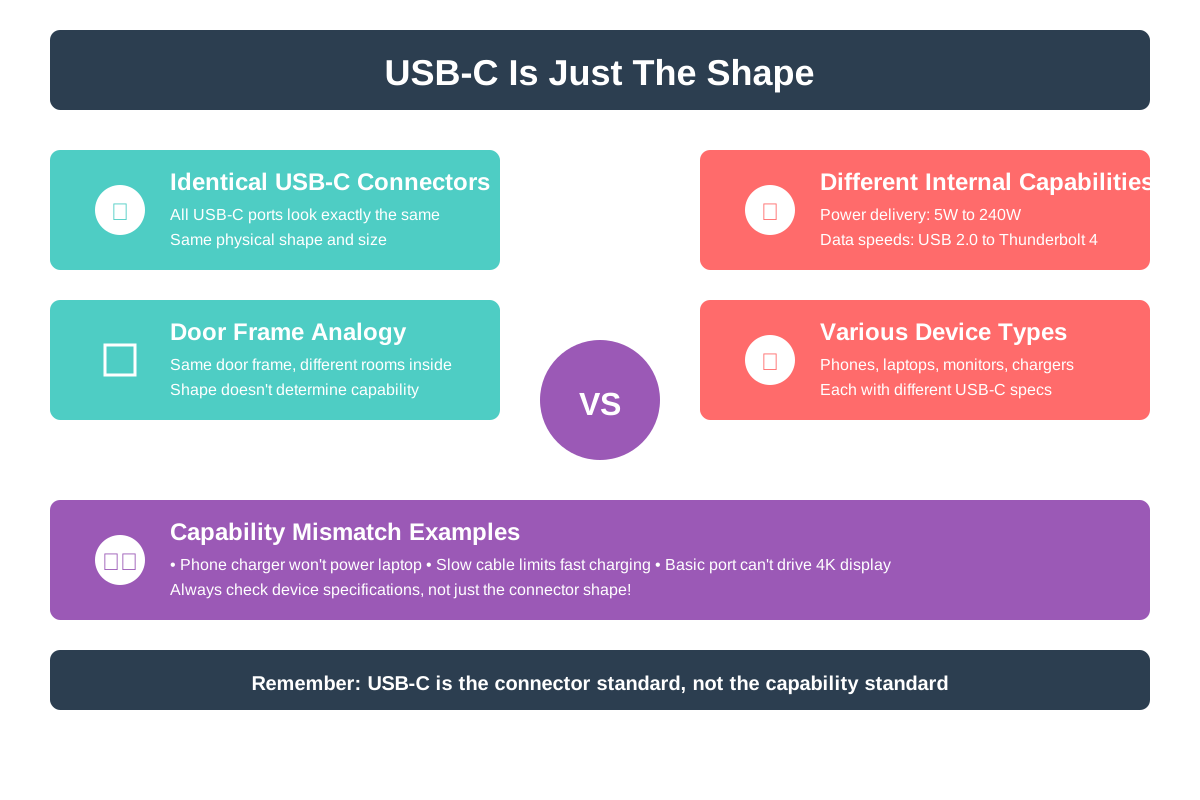
USB-C Is Just The Shape
Think of USB-C like a door frame - it looks the same everywhere, but what goes through it can be totally different. The connector shape doesn't tell you anything about what the cable can actually do. This is why your phone charger might not work with your laptop, even though they both have USB-C ports.
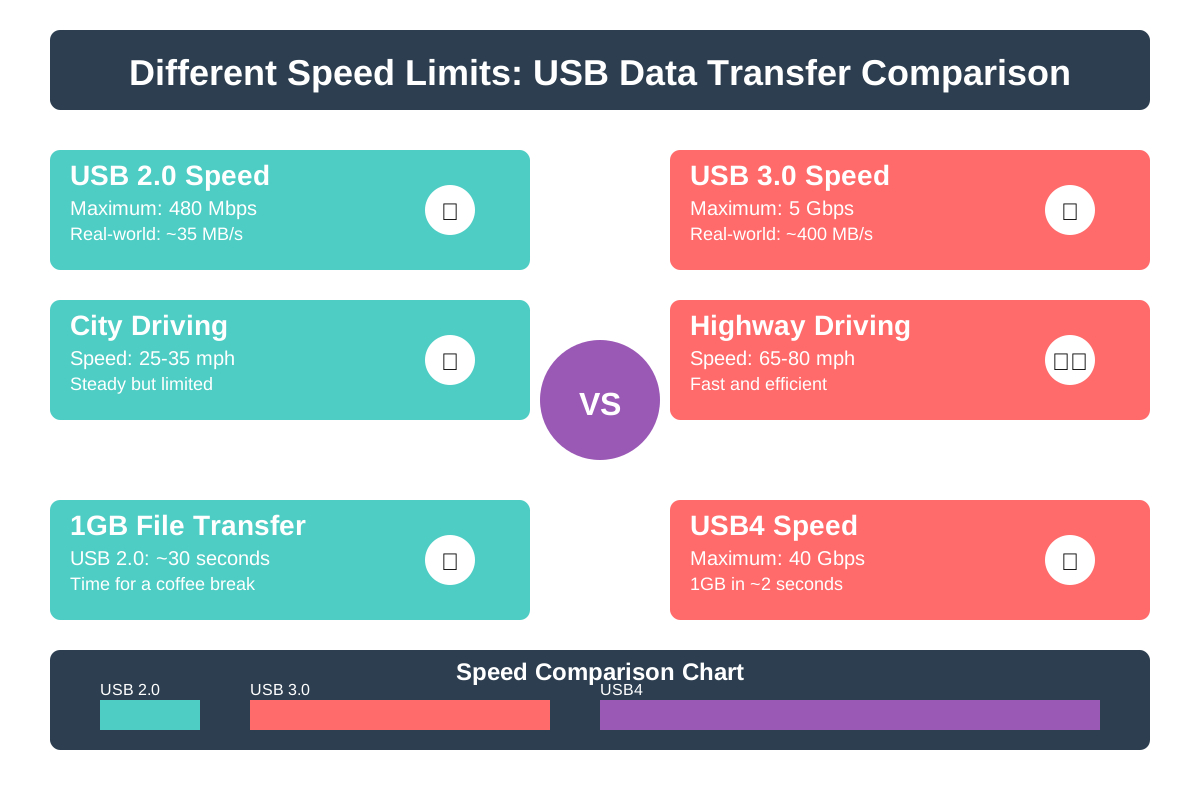
Different Speed Limits
USB-C cables come with different speed ratings, from slow USB 2.0 to super-fast USB4. A cheap cable might only transfer files at 480 Mbps, while a premium one can hit 40 Gbps. Using the wrong cable is like trying to drive a race car on a dirt road - you won't get the performance you expect.
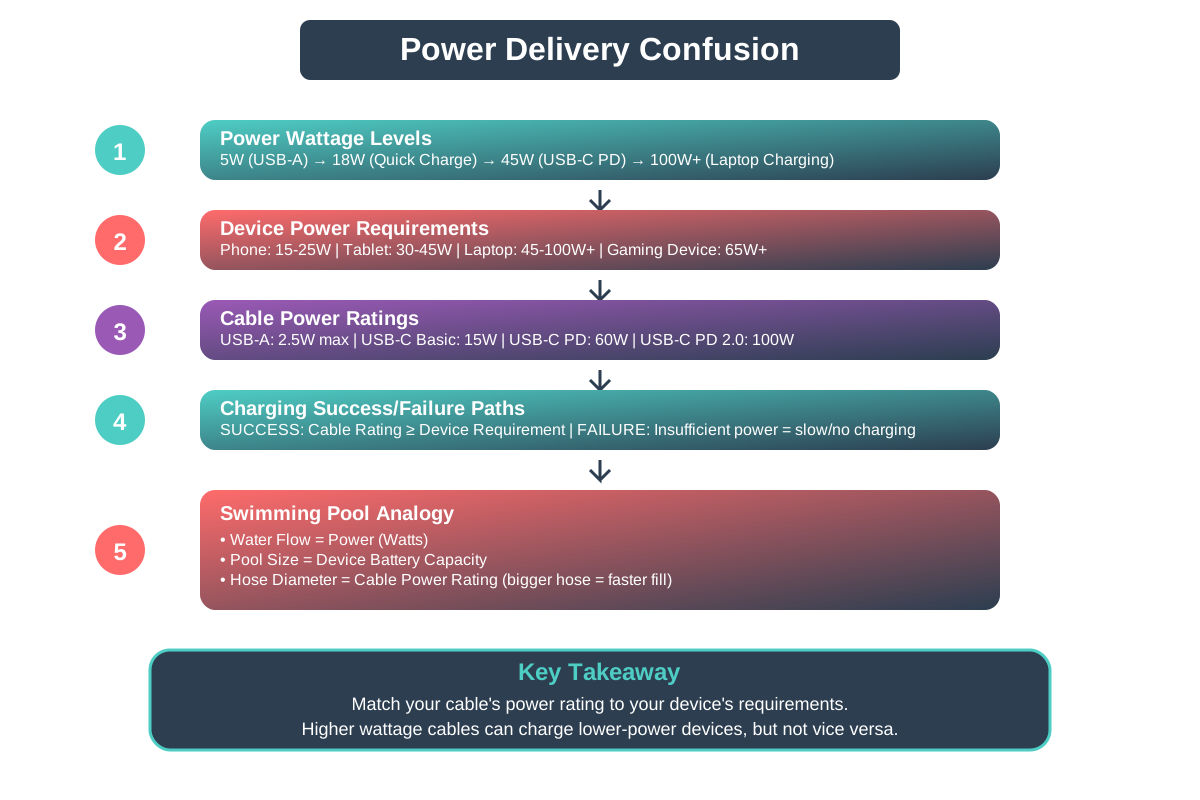
Power Delivery Confusion
Not all USB-C cables can handle the same amount of power. Some can only deliver 15 watts (good for phones), while others can push 100+ watts (needed for laptops). Using an underpowered cable is like trying to fill a swimming pool with a drinking straw - it just won't work properly.
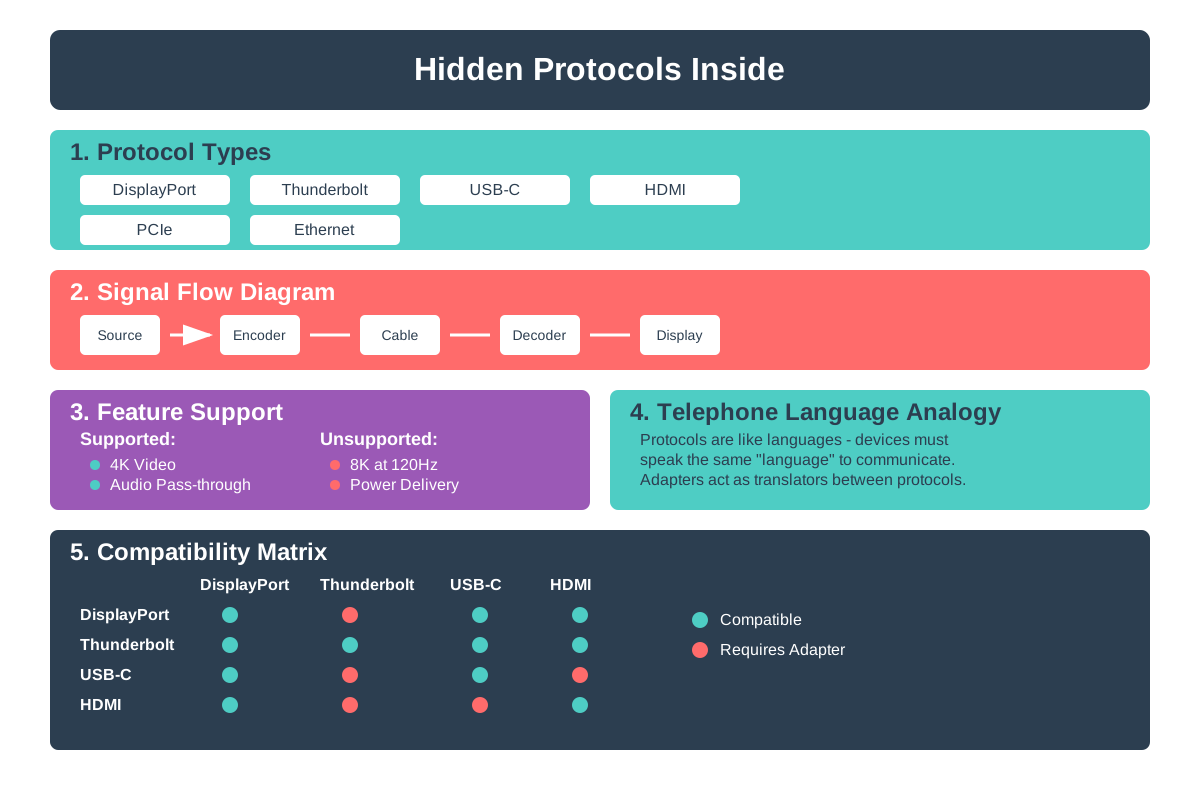
Hidden Protocols Inside
USB-C cables can carry different types of signals like video, audio, or data using various protocols. Some support DisplayPort for monitors, others support Thunderbolt for super-fast connections. It's like having different languages spoken through the same telephone - the phone works, but communication might fail.
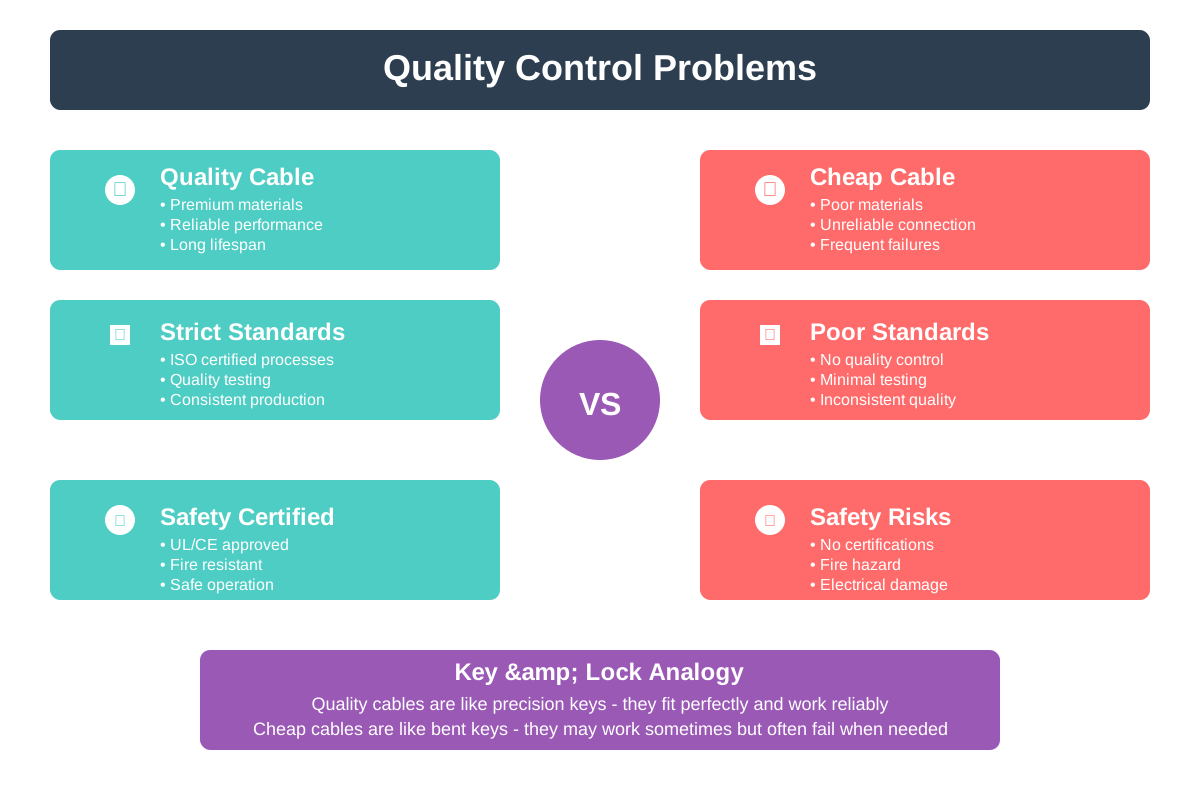
Quality Control Problems
Many cheap USB-C cables are poorly made and don't follow proper standards. They might work sometimes but fail randomly or even damage your devices. It's like buying a knockoff key that sort of fits your lock - it might work today but break tomorrow.
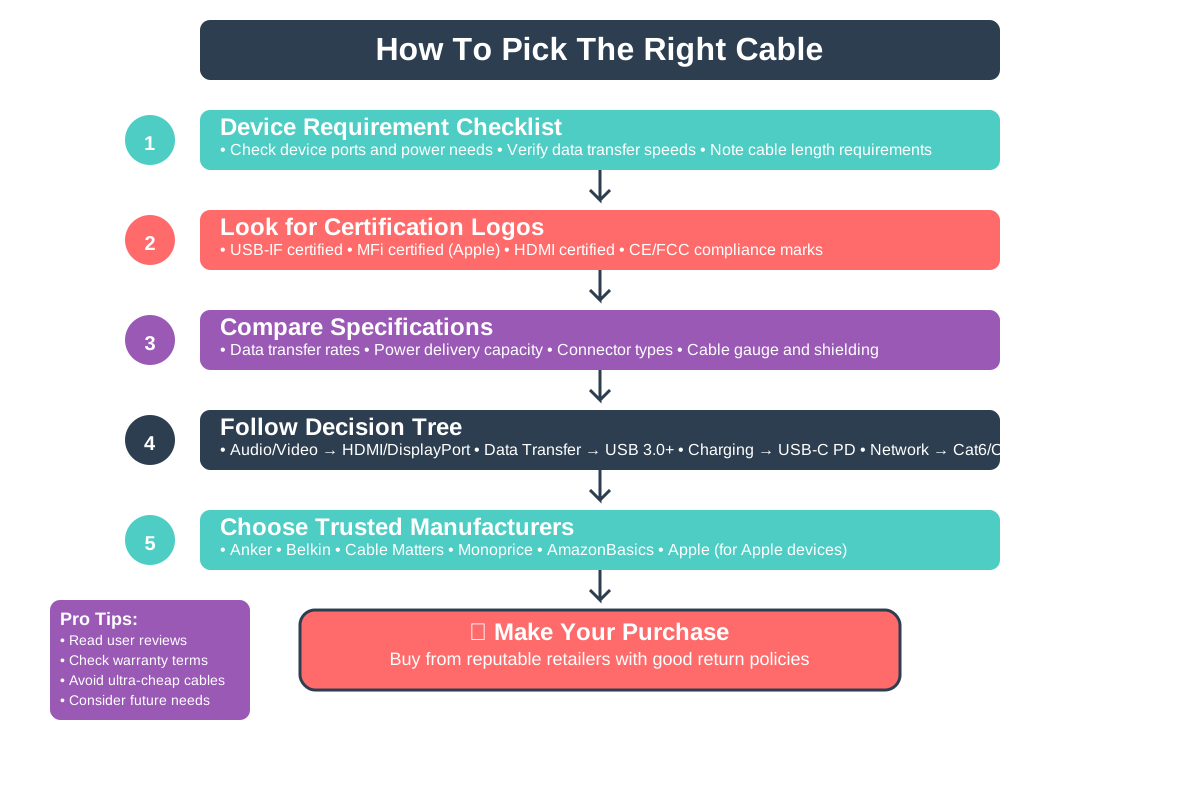
How To Pick The Right Cable
Always check what your devices need before buying a cable. Look for certified cables with clear specifications about speed, power, and supported features. When in doubt, stick with cables from reputable manufacturers or the ones that came with your devices.
Quick Recap ✨
- USB-C is only a connector shape - cables have wildly different capabilities for speed, power, and features
- Cheap or wrong cables can cause slow performance, charging failures, or even device damage
- Always match your cable specifications to your device needs and buy from trusted manufacturers